
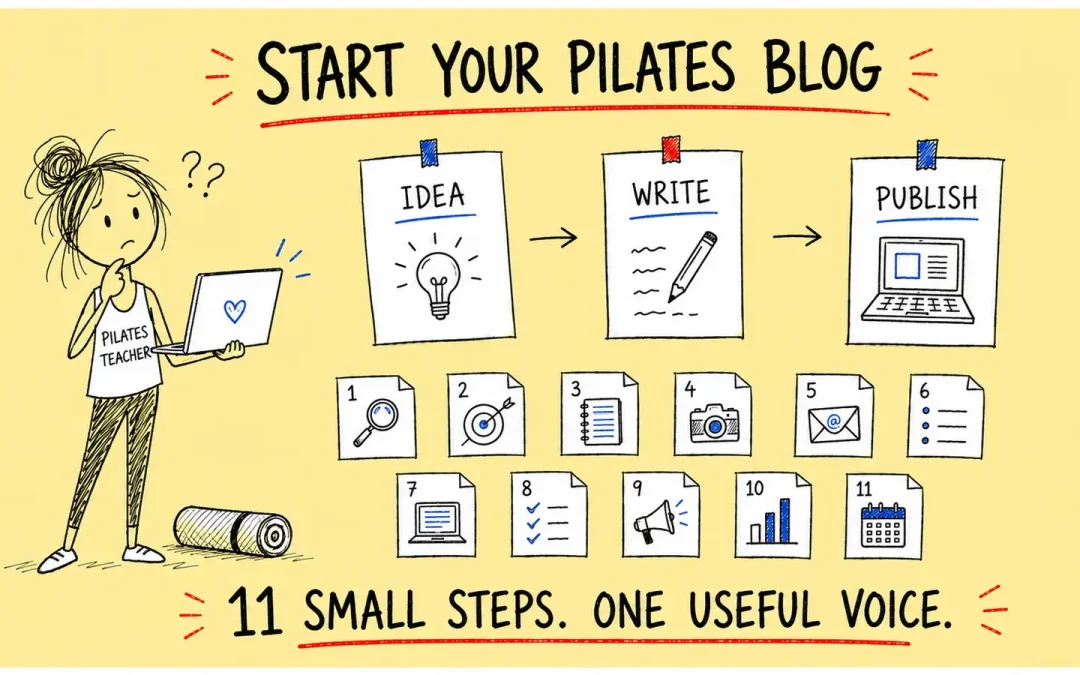
Starting a Pilates blog is easy until the blank page starts staring back.
You have years of teaching experience, dozens of student questions and a head full of useful ideas. Somehow, the moment you click “Add New Post”, every idea slips quietly out of the nearest window.
“What should I write about, and will anybody care?”
This guide answers both parts of that question.
A useful Pilates blog does not need to publish every day or chase every fashionable keyword. It needs a clear audience, practical first-hand knowledge and a rhythm you can maintain.
Download the free 90-Day Pilates Content Planner
Choose Your Planner
Download The LibreOffice Planner
Six editable tabs · Thirteen weeks · Automatic results tracking
Step 1: Decide who the Pilates blog is for
A blog for everybody usually sounds as though it was written for nobody.
Choose a useful starting audience, such as complete beginners, active older adults, runners, desk workers, new parents or people who want gentle small-group classes.
You can still welcome other readers. The choice simply helps you answer a better question:
“What does this particular reader need help with today?”
Step 2: Give the blog one clear job
Your blog should support the wider business.
It might help local students discover your classes, give current students safe reminders, demonstrate your teaching approach or introduce useful products and services.
Choose one primary job. Twelve competing goals can turn a simple blog into a small committee meeting.
Step 3: Choose three to five content pillars
Content pillars stop you wandering across unrelated subjects.
A Pilates teacher or studio owner might choose beginner questions, student goals, class choices, teacher trust, local community and seasonal offers.
These recurring themes help readers explore related articles. They also support the focused structure described in my guide to building a useful Pilates authority site.
Step 4: Collect real questions
Your students are a better idea generator than a generic list of keywords.
Keep a small question notebook after classes, workshops and emails. Record the words people actually use.
Useful questions might include:
- What happens in my first Pilates class?
- Do I need to be flexible before I start?
- Should I choose Mat or Reformer Pilates?
- Which class would suit my goals and experience?
Each honest question can become a helpful article, email or short video.
Step 5: Turn each question into a clear promise
A strong title tells the reader what they will gain.
“Thoughts about Pilates” is vague. “Seven Ways to Make a Beginner Pilates Class Feel Less Intimidating” is much clearer.
Use the language your reader understands. Google’s current guidance also recommends using words people would use to find the content, particularly in titles, headings and descriptive links.
Step 6: Add experience that only you can provide
Your teaching experience is the part another website cannot copy.
Include the cue that worked, the plan that changed, the mistake you noticed or the question a student asked.
Do not invent student stories or medical outcomes. If a real student could be identified, ask permission or remove the identifying details.
Step 7: Make every post easy to scan
Online readers often scan before deciding to read properly.
Use short paragraphs, clear headings, descriptive lists, useful images and occasional bold phrases. Start each paragraph with a sentence that explains where it is going.
A long article can still feel light when the structure gives it room to breathe.
Step 8: Add useful internal links
Internal links should help the reader continue the journey.
Link a beginner article to your class timetable, a teacher profile to your trial-class page, and a workshop guide to the correct booking page.
Use descriptive link text. “Read the Pilates newsletter guide” is more helpful than “click here”.
Step 9: Choose one primary call to action
Every article needs a sensible next step.
The action could be joining a class, downloading a resource, reading a related article, subscribing to useful emails or exploring a relevant product.
One strong route is usually better than a colourful procession of competing offers.
Step 10: Repurpose the useful idea
Publishing the article is the beginning, not the funeral.
Turn one section into an email, one list into a carousel, one answer into a short video and one illustration into a Pinterest graphic.
The Pilates Newsletter Ideas guide shows how to bring readers back without sending a sales pitch disguised in a leotard.
Step 11: Measure and improve
Do not judge a post by page views alone.
Record useful replies, local shares, enquiries, trial bookings, new students and the questions people ask afterwards.
Update articles when the advice changes or when you can add better first-hand information. Do not change dates merely to make old content appear new.
George’s Conclusion

A worthwhile Pilates blog grows through repeated useful answers.
Choose a real audience, organise the subjects, share what teaching has taught you and give readers a clear next step.
The free 90-Day Pilates Content Planner gives you thirteen student-focused starting ideas and a simple system for turning each one into an article, email and two social posts.
Useful Resources


George Watts
Latest posts by George Watts (see all)
- Pilates Referrals and Reviews: How to Ask Without Feeling Awkward - August 30, 2026
- Google Business Profile for Pilates Teachers: Free Local SEO Checklist - August 30, 2026
- Pilates Class Pricing Calculator: How Much Should You Charge? - August 30, 2026