

Google Business Profile for Pilates Teachers
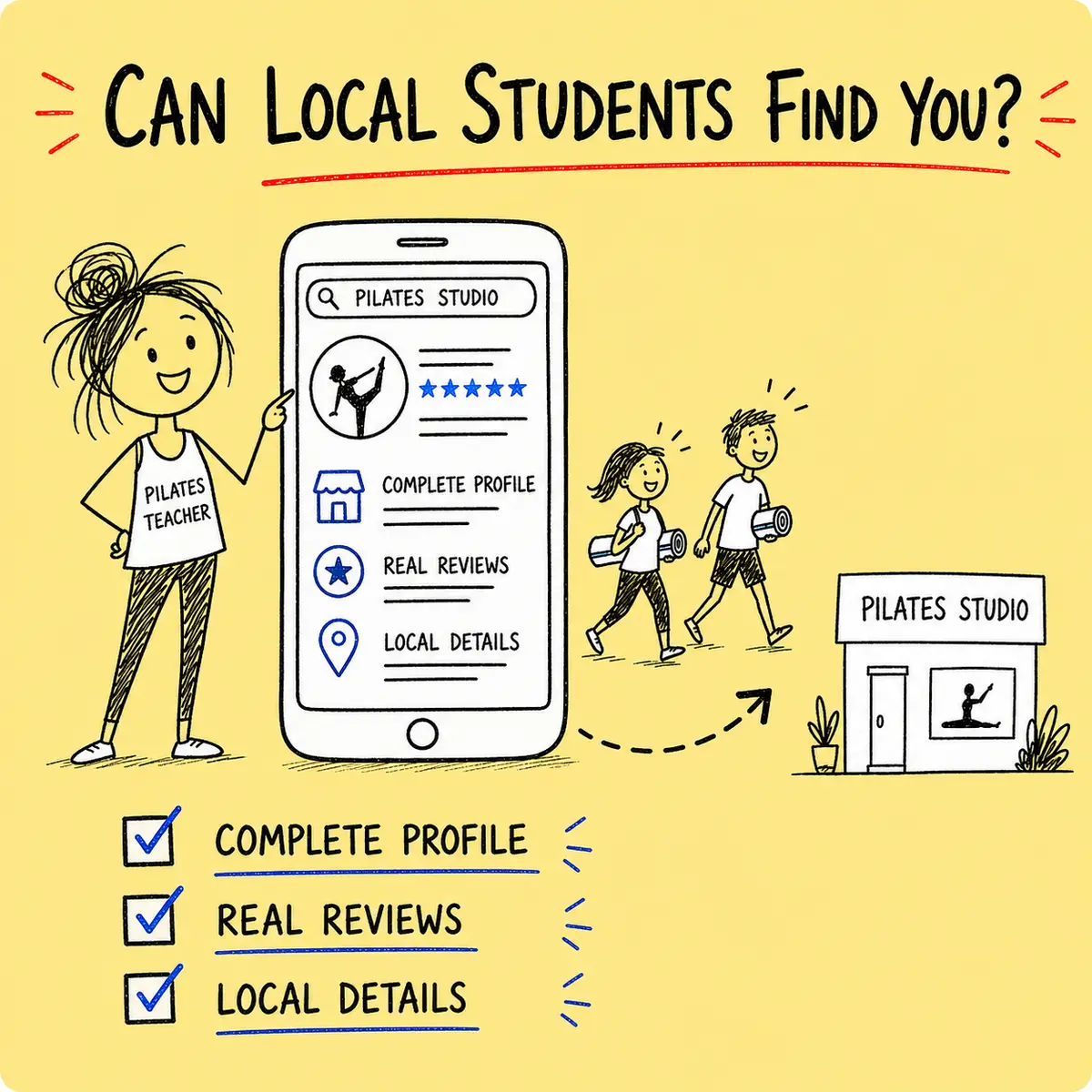
A complete Google Business Profile can make it easier for nearby students to understand what you teach, where you teach and how to take the next step.
It is not a magic button marked “fill Tuesday’s 6pm class”. It is a practical place to keep your local business information accurate and useful.
Use the free checklist in this guide to set up the essentials, request honest reviews and track the enquiries that follow.
What a Google Business Profile does
A Business Profile helps your Pilates business appear with useful information in Google Search and Maps.
Students may see your business name, location or service area, opening hours, phone number, website, photos and reviews.
Google says local results are mainly based on relevance, distance and prominence. You cannot request or pay Google for a better local position, so the sensible job is to make the information complete, accurate and genuinely helpful.
Being excellent at Pilates is less useful when your profile still sends people to the village hall you left in 2022.
1. Check eligibility and ownership
Start by confirming that the business is eligible and that you are working on the correct profile.
Search Google Maps for the business before creating anything new. If a profile already exists, claim it rather than creating a duplicate.
Keep the business owner as the primary owner. Add trusted staff or agencies as managers when needed, and remove access when somebody stops helping.
2. Use the real business name
Your profile name should match the name customers know in the real world.
Do not turn it into “Sandra’s Pilates | Best Reformer Pilates Beginner Classes Near Market Harborough”. That is not a business name. It is a small nervous breakdown wearing vertical bars.
Choose the most specific available primary category that describes the core business, then add only genuinely relevant additional categories.
3. Set the address or service area correctly
Show a business address only when customers can actually be served there.
If students attend your studio or regular venue, use an accurate address and map pin. If you travel to customers and do not serve them at your own address, follow Google’s service-area rules and hide the private address.
Use a realistic service area. Adding the entire United Kingdom does not make a Tuesday mat class in Truro locally convenient for somebody in Aberdeen.
4. Complete the core details
Give a prospective student enough accurate information to decide what to do next.
Add the authoritative phone number, useful website page, current hours, booking link, factual description and genuine class or service information.
Check every link on a phone. The perfect local profile followed by a broken booking button is a beautifully signposted cul-de-sac.
5. Verify the profile
Google chooses which verification methods are available for each business.
Follow the option shown in the profile. It may involve phone, email, video, live video or mail. If video is requested, Google may ask you to show the location, evidence that the business exists and proof that you manage it.
Keep verification codes private. Google states that it will never ask you to share the code.
6. Add useful photos and current hours
Photos should help a new student understand the real teaching experience.
Add a recognisable logo, a current teacher photo, the teaching space and relevant equipment. Use permission for anyone shown and avoid exposing private student information.
Keep normal and special hours accurate. This is particularly important when venue timetables, bank holidays or seasonal breaks change.
7. Request honest reviews
Make it easy for genuine customers to leave voluntary, honest feedback.
Google lets you create a review link or QR code from the profile. Share it in a neutral message after a suitable interaction.
Do not offer discounts, gifts or prize entries for reviews. Do not ask only the people you expect to leave five stars. And do not stand over a student while they type “life-changing” after one Hundred.
Reply professionally. Thank the reviewer, address useful points and never reveal private health or customer information.
8. Support the profile with a useful local website
The linked website should confirm and expand the information in the profile.
Create clear pages for important services and genuine teaching locations. Include practical details such as suitability, venue, parking, timetable and the booking route.
Use local place names naturally where they help the reader. Repeating “Pilates in Bristol” seventeen times will not improve the class description, although it may make the page sound as if it has hiccups.
Relevant local relationships can also lead to useful mentions and links from venues, community groups and complementary businesses.
9. Measure what happens monthly
Track enquiries and bookings rather than staring at a search result every morning.
Record the profile measures available to you, plus website clicks, calls, enquiries, trial bookings and new paying students. Ask new enquiries how they found the business and use the same definitions each month.
Look for trends. Fix inaccurate information, refresh outdated pages and note meaningful changes so you can understand what happened later.
Download the free Google Business Profile & Local SEO Checklist
Choose Your Checklist
Download The LibreOffice Checklist
Eight editable tabs · 50 practical actions · Automatic progress tracking
George’s Conclusion
A useful Google Business Profile removes small doubts for a nearby student.
Keep the name, category, location, hours, website and photos accurate. Ask for honest reviews without incentives, and check the profile once a month rather than treating it like a nervous houseplant.
The free checklist gives you one place to finish the setup and track what happens next.
Useful Resources


George Watts
Latest posts by George Watts (see all)
- Pilates Referrals and Reviews: How to Ask Without Feeling Awkward - August 30, 2026
- Google Business Profile for Pilates Teachers: Free Local SEO Checklist - August 30, 2026
- Pilates Class Pricing Calculator: How Much Should You Charge? - August 30, 2026